How to Do Your Crypto Taxes with Koinly
Koinly can help users make sense of their crypto activity, including bridge & swap transactions made via Jumper


DeFi activity can create taxable events in many countries. The good news, you don’t need a special integration or hours of manual work to get your taxes done. Koinly can read your onchain activity, including all your swaps, bridges, LPs, staking, and more, directly from your wallets and compile everything into a detailed report.
Do Taxes Apply to Swaps & Bridges?
Pulling off profitable swaps or bridging for better yields? Usually, the tax office wants to know. In most countries, crypto is taxable, and that includes DeFi activity like swapping, staking, yield farming, or providing liquidity. Guidance for DeFi is still evolving, but tools like Koinly classify onchain transactions from your connected wallets to help you file accurately.
Koinly Handles DeFi Like a Pro
supports over 1.5 million crypto investors in more than 20 countries. It integrates with over 950 platforms, pulling in your DEX, CEX, wallet, and blockchain transactions in seconds. Koinly spots swaps, staking rewards, liquidity pool tokens, and more, then calculates gains and income so you can focus on trading instead of drowning in spreadsheets.
Possible DeFi Tax Implications
Most countries have not released specific DeFi tax rules yet, but tax regulation likely applies to the following events:
- Earning new tokens (from staking, yield farming, play-to-earn, etc.)
- Profits from selling, swapping, or spending crypto
- Profits from adding or removing liquidity
- Profits from margin trading or options protocols
How to Add Jumper to Koinly and Get Your Taxes Done
Jumper doesn’t have a direct integration with Koinly yet, but you can still import your transactions easily. Koinly just needs your data to do the heavy lifting.
Simply connect your wallet to import your Jumper trades automatically.
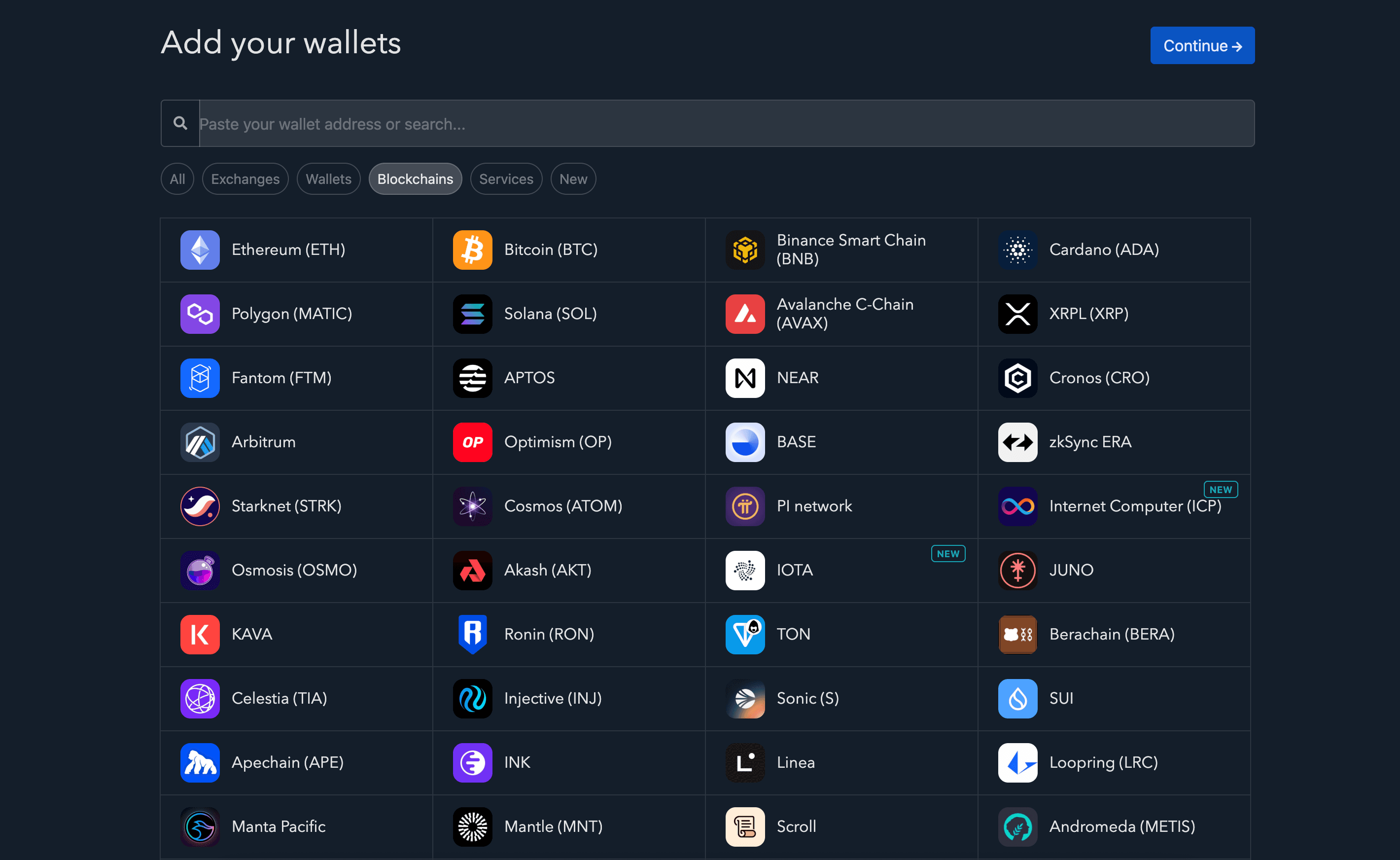
- Go to the Wallets page on Koinly
- Click on Add wallet
- Search for your blockchain and click on the icon from the results
- Enter your public address
- Hit import and watch the data pour in!
Note: You will need to add a separate wallet for every blockchain, even if they all share the same public address.
Once your data is in, Koinly will:
- Fetch historical market prices.
- Match transfers, detect DeFi activity, and categorise transactions.
- Calculate your gains, losses, and income.
- Generate a tax report ready for more than 20 other tax offices worldwide.
When Koinly imports your data, it’s read-only and secure. You never share your private keys. Need help? Koinly boasts an amazing customer support team with a stellar Trustpilot score. And they’re active on Reddit, X, and Discuss.
Introducing the Koinly Perk
We’re excited to announce the Koinly perk for Jumper Pass holders. With this perk, Jumper Pass holders Level 12 and above get 20% off on their first Koinly plan.

To access the Koinly perk, simply head over to your
Jumper Profile, connect your wallet, and select the Koinly perk. You’ll get redirected to a form that you need to submit. After that, simply open a ticket on the
Jumper Discordto receive access to your Koinly perk.
This article is a Jumper Learn guest post in collaboration with Koinly. This is third-party content meant for informational purposes only. Koinly is a non-affiliated third-party product. This is no financial, legal, or tax advice. Rules vary by country and are subject to change. Check local guidance and consult a professional in any case.